
WINOLS Master Combo (4.7+5)
Industry-standard ECU map editing software. WINOLS Master Combo (4.7+5) provides professional-grade tools for ECU tuning, remapping, and calibration file editing.
WinOLS 5 & WinOLS 4.7 – Ultimate ECU Tuning Software
Fast, safe, and professional ECU tuning for Windows 10 & 11.
Offer price €70 — Ends Today!


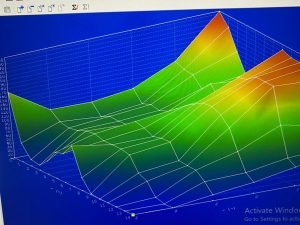
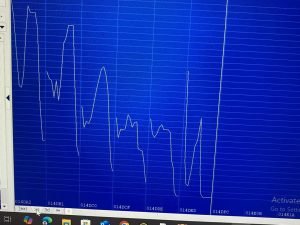
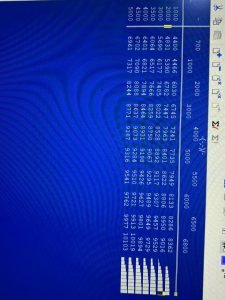
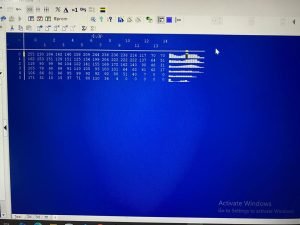
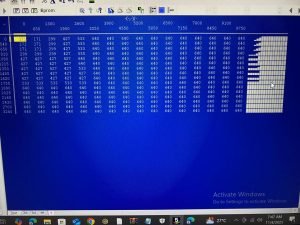
Experience next-level ECU tuning with WinOLS 5 and 4.7!
No more system bugs, no more virtual machines, no more blocked connections — just pure, smooth, and safe performance tuning.
💥 Offer price: €70 — Ends Today!
⚠️ Works only on Windows 10 & 11. If you have Windows 7, please do not buy.
Why Choose This Package?
Combine the speed and modern interface of WinOLS 5 (Demo) with the stability and export power of WinOLS 4.7 (Full) for the ultimate tuning workflow.
After payment, you immediately get the software files and installation guide — full setup in just 3 minutes!
⚠️ Works only on Windows 10 & 11. If you have Windows 7, please do not buy.
Key Features & Benefits
✅ WinOLS 5 Demo
Perfect for map discovery, visualization, and editing. (Cannot export files)
✅ WinOLS 4.7 Full
Used for checksum correction and exporting .bin files safely.
✅ Bug-Free Installation
Stable, virus-free, and offline-ready without blocking evc.de.
✅ Fast Workflow
Combine both versions for quick, accurate, professional ECU tuning.
✅ Support & Guidance
Installation guide plus WhatsApp support available immediately after payment.

What People Who Bought This Are Saying
“Absolutely amazing! WinOLS 5 is so smooth and visual, and WinOLS 4.7 lets me export files safely. Setup took just 2 minutes!”
– Daniel M.
“I was hesitant at first but the WhatsApp support helped me get it running. Love how fast the workflow is now!”
– Fatima A.
“No more system bugs or blocked connections. Combining both versions is a game-changer for ECU tuning!”
– Lukas R.
“Installation was fast and straightforward. I had it running in 3 minutes and I’m already exporting bins with 4.7.”
– Marco T.
“Best purchase for my ECU tuning setup! Smooth performance, bug-free, and worth every cent of €70.”
– Elena S.
Professional workflow — use WinOLS 5 & WinOLS 4.7 together
To create a new project, discover maps, and make modifications, use WinOLS 5 because it is smooth, practical, and visually pleasing.
Once your mapping work is finished, close the project in WinOLS 5 (otherwise the project file may be locked), then open the same project in WinOLS 4.7 (licensed/full) to perform checksum corrections and export the final .bin file. You can also use official plugins such as DAMOS import to improve map recognition.
Important: only one instance of WinOLS may access a project at a time — always close the project in one version before opening it in the other to avoid file locks or corruption.
When to use each version
- WinOLS 5 (Demo): map discovery, navigation (HexDump), visualization and editing. (Demo versions commonly do not allow final export.)
- WinOLS 4.7 (Licensed/Full): checksum correction, final
.binexport, and legacy plugin support.
Recommended, legal steps
- Open WinOLS 5 (Demo) and create a new project. Import your binary, discover maps, and perform mapping edits. Save your work and close the project when finished.
- Open WinOLS 4.7 (Licensed/Full). Use the Open command to load the project created in WinOLS 5, perform checksum corrections and export the final
.binfile. - If you need to continue editing in WinOLS 5, close the project in 4.7 first and then reopen it in WinOLS 5. Repeat as needed — never open the same project in both versions at once.
Best practices: always keep a backup of the original binary before editing. Use only licensed software to avoid malware, data loss, and legal risks. If you need help with license activation or safe installation, we offer professional installation and activation support with fast WhatsApp guidance.
Why Use WinOLS 5 + 4.7 Together?
WinOLS 5 (Demo) – Fast map discovery, visualization, advanced editing tools. Cannot export final files.
WinOLS 4.7 (Full) – Used to correct checksums and export .bin files safely.
Using both together gives you a fast, accurate, and professional workflow for ECU tuning.
⚠️ Works only on Windows 10 & 11. If you have Windows 7, please do not buy.
Today’s Offer – Only €70!
- Software files delivered immediately after payment
- Installation guide
- 3-minute click setup
- Lifetime access & multiple PC use
- WhatsApp support for guidance
🚨 Offer Ends Today – Don’t Miss Out!
Contact & Support
Reach us on WhatsApp for fast assistance or guidance on installation and use.
After completing your purchase, you will receive an email with a download link. You can also access your downloads from your account dashboard.
Yes! You pay once and get lifetime access to the software including all future updates.
We offer full support. Contact us and our team will help you troubleshoot. If the issue persists, we offer a refund.
Yes, a unique license key will be generated and sent to your email after purchase. It's also available in your account.


Reviews
There are no reviews yet.